Why should I know all of this?
Every system programmer must know how memory works. This is an optimization issue. Processor spends time not only processing data, but also moving it. Speed of applications depend on this.
Memory hierarchy
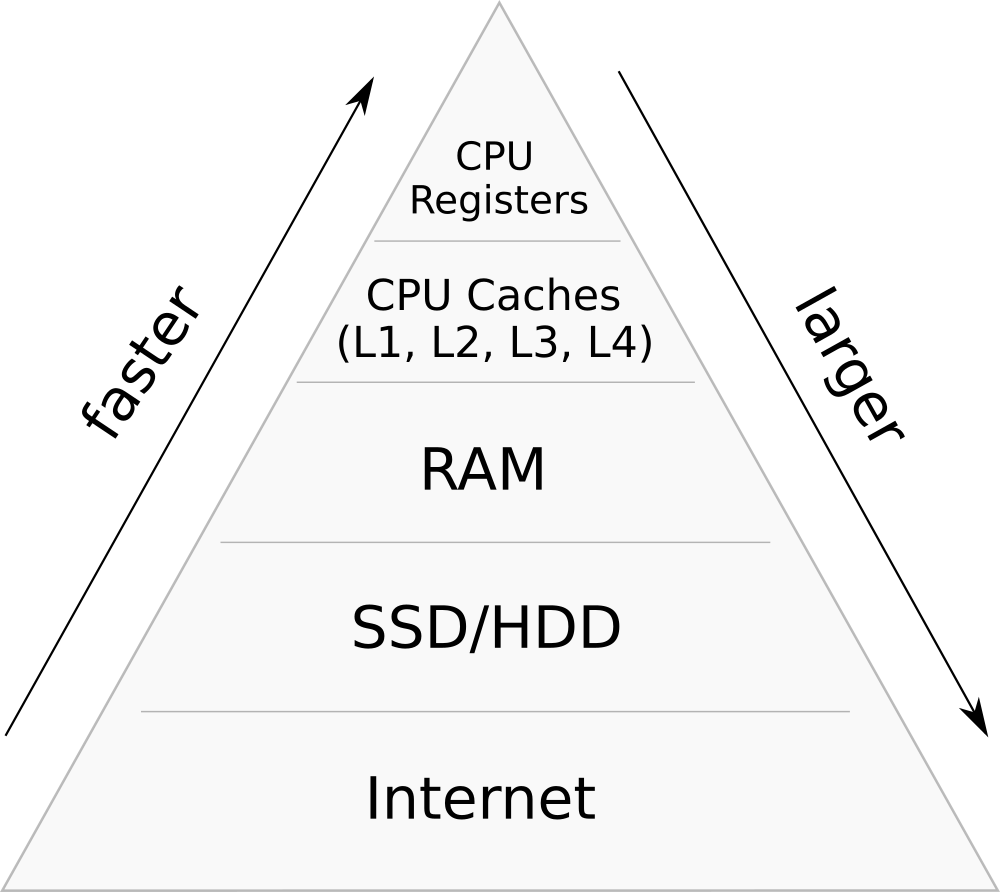
Memory hierarchy can be represented as a pyramid. On the top of it is the fastest and smallest data storage type and at the bottom is the slowest and biggest data storage type.
Primary storage
CPU Registers, CPU Caches and RAM represent Primary storage. Primary storage, including ROM, EEPROM, and NOR flash, is usually byte-addressable. Such memory is usually connected to the CPU via memory bus, comprising an address bus and a data bus.
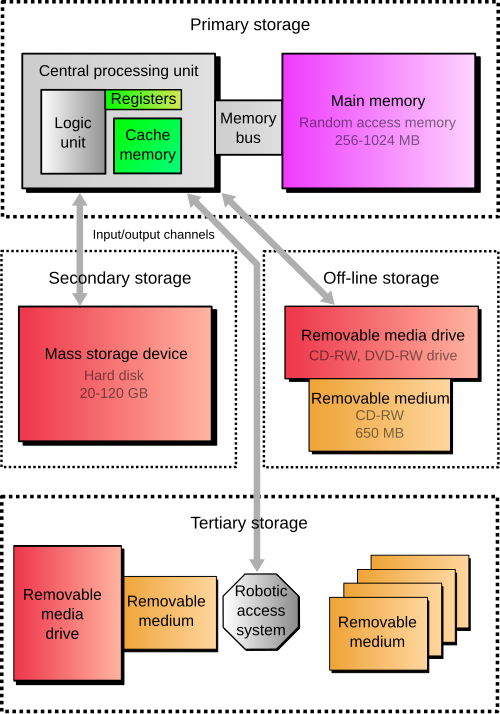
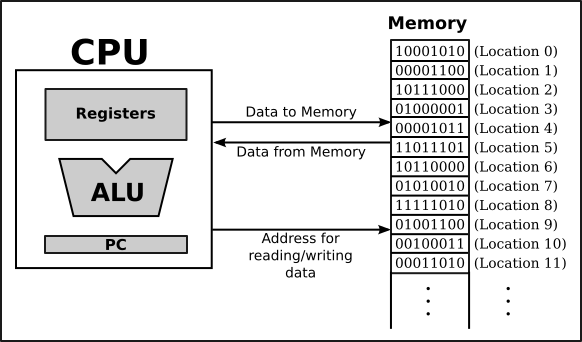
- CPU Registers is the most expensive and fast, but smallest storage type. Their capacity is typically 16-64 bits. CPU instructions instruct the arithmetic logic unit to perform various calculations or other operations on this data.
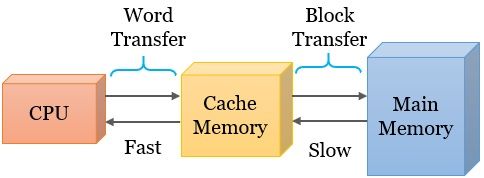
- Cache memory is small, high-speed area in a computer. It stores copies of data from frequently used main memory locations. There are various independent caches in a CPU. The concept of cache memory is to load nearby items because they are likely to be accessed next.
- RAM (Random Access Memory) is a primary memory of a computer system. There are two types of RAM:
- SRAM (Static RAM)
- DRAM (Dynamic RAM)
SRAM is faster than DRAM and holds data permanently in the presence of power while data in DRAM decays in seconds and thus must be refreshed periodically. SRAM is more expensive than DRAM in terms of silicon area and cost so SRAM is used as cache memory. DRAM can contain more information than SRAM and is usually used for computer’s main memory. These differences are caused by the structure of RAM: for DRAM module you need only one transistor and a capacitor for a bit of data, but for SRAM module you may need six transistors.
- ROM (Read-Only Memory) is a type of non-volatile memory. There are a couple of types of ROM:
- Mask ROM - factory-made mask ROM. The desired data is converted into a custom photomask/mask layer for the final metallization of interconnections on the memory chip (hence the name).
- PROM (Programmable Read-Only Memory or one-time programmable ROM) is ROM that can be reprogrammed once by the user.
- EPROM (Eraseable Programmable Read-Only Memory) is ROM that can be erased or reprogrammed by the user multiple times, but the endurance of most EPROM chips exceeds 1000 cycles of erasing and reprogramming.
- EEPROM (Electrically Erasable Programmable Read-Only Memory) is based on a similar semiconductor structure to EPROM, but allows its entire contents (or selected banks) to be electrically erased, then rewritten electrically, so that they need not be removed from the computer (whether general-purpose or an embedded computer in a camera, MP3 player, etc.). Types of EEPROM:
- Electrically alterable read-only memory (EAROM) is a type of EEPROM that can be modified one or a few bits at a time. EAROM may be used as non-volatile storage for critical system setup information; in many applications, EAROM has been supplanted by CMOS RAM supplied by mains power and backed up with a lithium battery.
- Flash memory is a modern type of EEPROM invented in 1984. For flash memory you need to erase the area where you are willing to write.
- NVRAM (Non-volatile Random-Access Memory) is random-access memory that retains data without applied power. There are a few types of NVRAM. The first type of NVRAM is static RAM with a built-in battery (most often lithium) and enhanced protection against information distortion at the time of power on and off. The second is differs from the first that its memory can be replaced into EEPROM when machine is shutting down and from EEPROM memory can be replaced into NVRAM when machine is turning on.
Secondary storage
Secondary storage (also known as auxilliary storage or external memory) is not directly used by the CPU, but accessed via replacing data to a primary storage with input/output calls (for example asking BIOS to read/write to a sector on a disk). Secondary storage is non-volatile that means it retains data even after shut off. This type of memory is less expensive, can contain more data, but slower than primary storage. Secondary storage is addressable by block and often formatted according to a filesystem format that provides abstraction layer to organize data into files and directories.
In modern computers, hard disk drives (HDDs) and solid-state drives (SSDs) are usually used as secondary storage. Other examples are USB flash drives, floppy disks, magnetic tapes, paper tapes, punched cards and RAM disks.
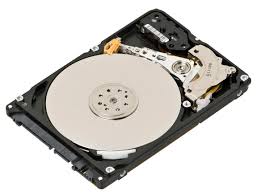
- Hard disk drive (HDD) is an electro-mechanical data storage device that stores and retrieves digital data using magnetic storage with one or more rigid rapidly rotating platters coated with magnetic material.
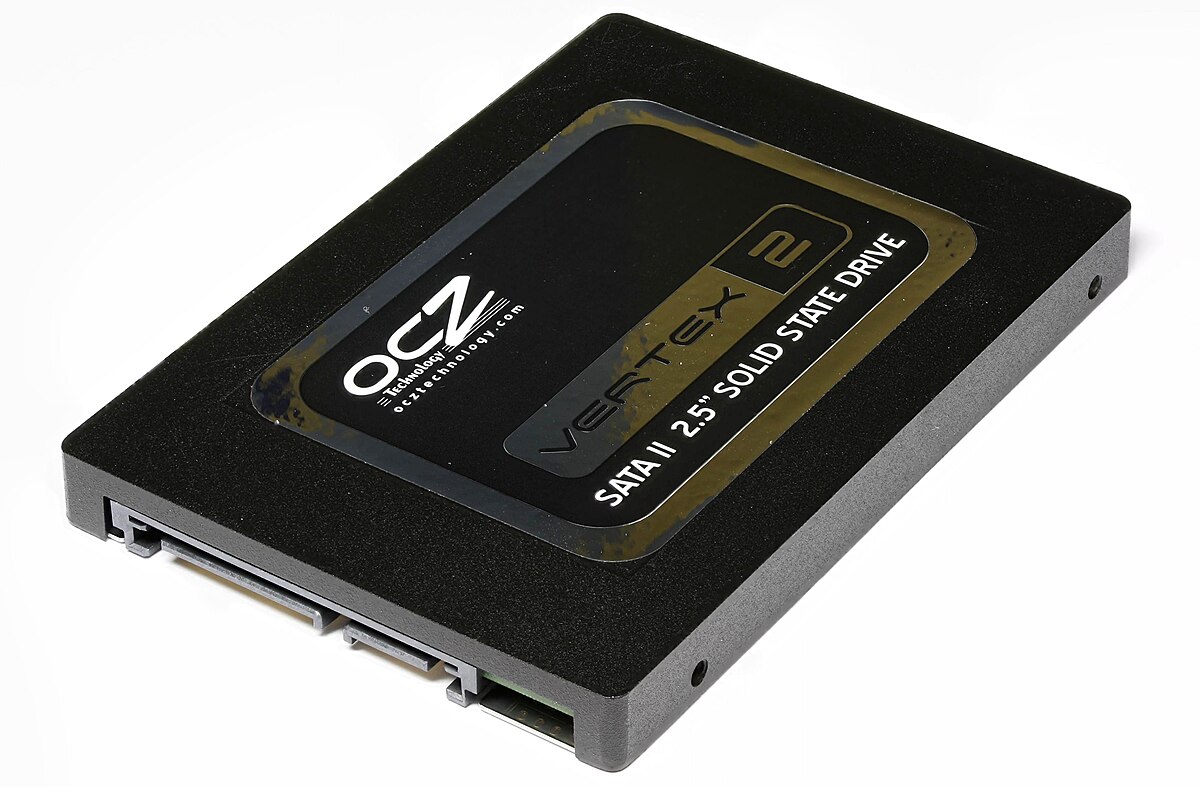
- Solid-state drive (SSD) is a type of solid-state storage device that uses integrated circuits to store data persistently. It is sometimes called semiconductor storage device, solid-state device, or solid-state disk. SSDs rely on flash NAND memory to store data. Unlike HDDs they have no moving parts that allow them to access data faster; it reduces latency, power consumption and makes them more silent. However SSDs are more expensive and have less write cycles than hard disk drives.
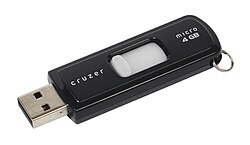
- USB flash drive (UFD) is a data storage device that includes flash memory with an integrated USB interface. Some allow up to 100,000 write/erase cycles, depending on the exact type of memory chip used, and are thought to physically last between 10 and 100 years under normal circumstances.
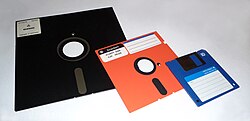
- Floppy disks or diskettes were in common in 20th-century and were superseded by USB flash drives, memory cards, optical disks and other cloud storages. Floppy disk is a type of storage made from a thin disk coated with magnetic storage medium. It is wrapped in a plastic shell lined with fabric to help to remove dust from the spinning disk.
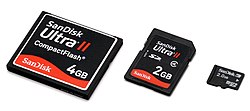
- A memory card is an electronic data storage device used for storing digital data, typically using flash memory. It is commonly used in digital devices, such as digital cameras or game consoles. They allow to add more memory for such devices using memory card instead of protruding USB flash drives.
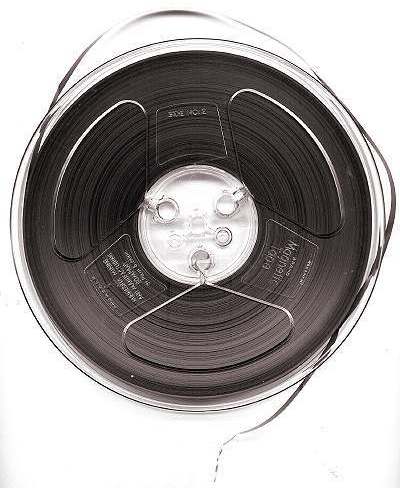
- Magnetic tape is a data storage type in the form of a flexible tape covered with a thin magnetic layer. Information is recorded by magnetic recording. Magnetic tapes appeared in 1951 by IBM. They had some disadvantages at that time but they are fixed nowadays. Magnetic tapes is widely used today as a big storage of information because it is really cheap. Magnetic tapes even have its own filesystem LTFS. Magnetic tapes are being developed nowadays because it is widely used in backups, machine learning, Big Data, researches and so on.
- Punched tape or perforated paper tape* is a form of data storage that consists of a long strip of paper through which small holes are punched. It was developed from and was subsequently used alongside punched cards, the difference being that the tape is continuous. Punched tapes were used in 18th century for control looms. People started to use them in telegraphy systems in 1842. Punched tapes were used in the 19th and 20th century for programmable looms and teleprinter communication. In 1950s and 1960s they were used as a data storage type for minicomputers and CNC machine tools.

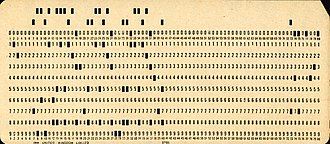
- Punched cards is a stiff paper-based medium used to store digital information via the presence or absence of holes in predefined positions. Developed over the 18th to 20th centuries, punched cards were widely used for data processing, the control of automated machines, and computing. Early applications included controlling weaving looms and recording census data. Punched cards were widely used in 20th century for input, output as data storage type for unit record machines organized in data processing systems. The IBM 12-row/80-column punched card format came to dominate the industry. Some command-line interfaces still have a size 80 characters. Many early digital computers used punched cards as a type of input. Punched cards were widely used before being replaced by magnetic tapes. Some voting machines still use punched cards to record votes.
- RAM disk (also called virtual RAM drive) is a block of random-access memory (primary storage or volatile memory) that a computer’s software treats as if the memory were a hard disk drive or solid-state drive (secondary storage). RAM drives provide high-performance temporary storage for demanding tasks and protect non-volatile storage devices from wearing down, since RAM is not prone to wear from writing, unlike non-volatile flash memory as used in solid-state drives.
Tertiary storage
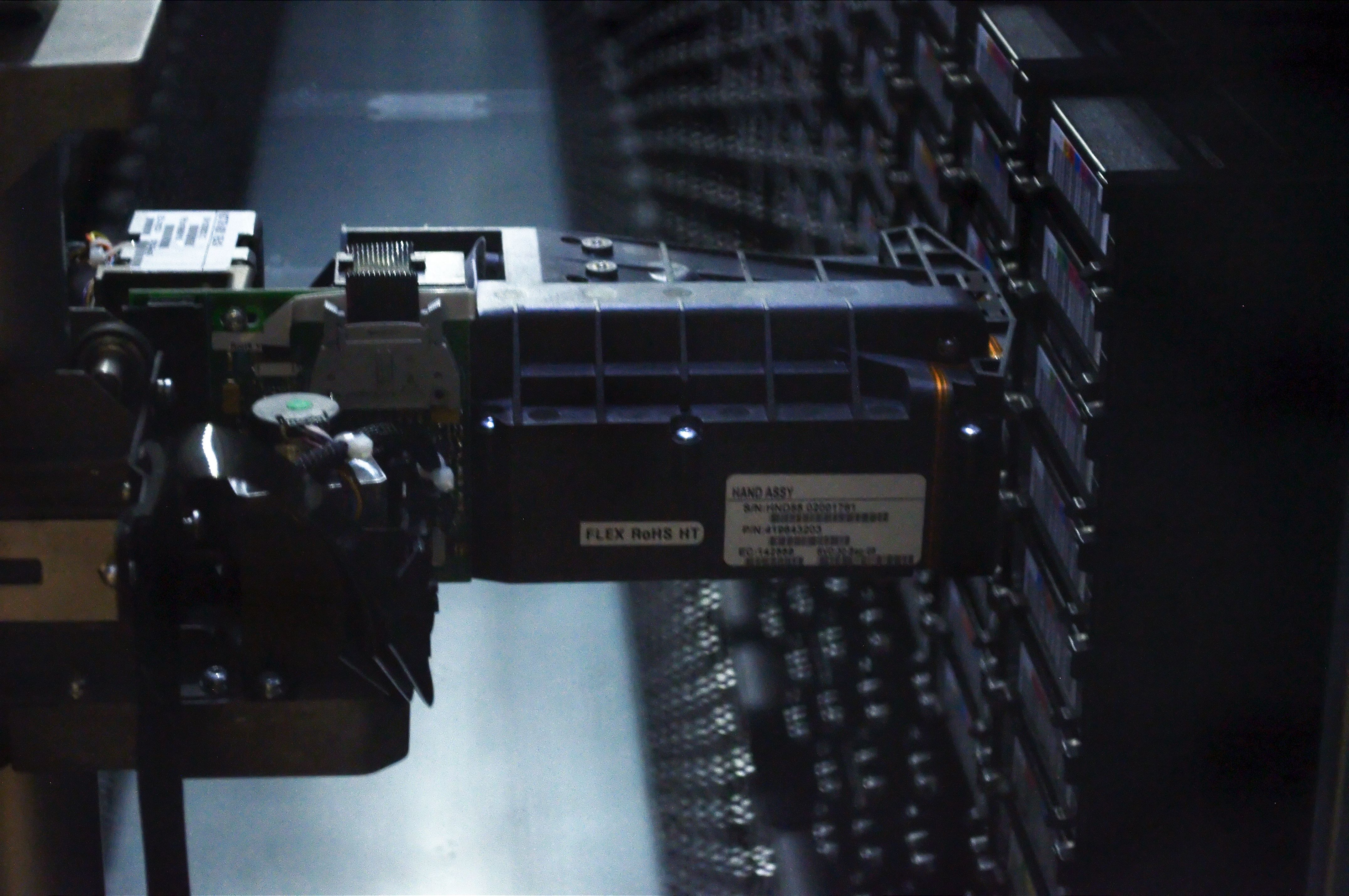
Tertiary storage is a storage type that typically involves a robotic access (a robotic arm, for example which mounts and dismounts other data storages). The speed is much slower than secondary storage has, but it allow to store large amounts of data without human access. Typical examples include tape libraries, optical jukeboxes, and massive arrays of idle disks (MAID). Tertiary storage is also known as nearline storage because it is “near to online”.
Offline storage is a data storage that typically is not under the control of CPU. The medium is recorded, usually in a secondary or tertiary storage device, and then physically removed or disconnected. Unlike tertiary storage, it cannot be accessed without human interaction. It is used to transfer information since the detached medium can easily be physically transported. In modern personal computers, most secondary and tertiary storage media are also used for offline storage.
Network connectivity
A secondary or tertiary storage may connect to a computer utilizing computer networks. This concept does not pertain to the primary storage.
- Direct-attached storage (DAS) is a traditional mass storage, that does not use any network.
- Network-attached storage (NAS) is mass storage attached to a computer which another computer can access at file level over a local area network, a private wide area network, or in the case of online file storage, over the Internet. NAS is commonly associated with the NFS and CIFS/SMB protocols.
- Storage area network (SAN) is a specialized network, that provides other computers with storage capacity. SAN is commonly associated with Fibre Channel networks.